User Experience Design

4 March 2026

IBM Maximo case study

How might we improve the work order completion rate from 50% to more than 90%, and contribute to the 10% experience growth target

Blog Details Image

Enterprise platforms don’t grow because they’re powerful.
They grow because people can execute their work efficiently inside them.

This is the story of how redesigning the mobile execution layer of IBM Maximo Application Suite (MAS) increased work order completion from 50% to over 90% — and directly contributed to measurable customer growth.

The Business Objective: Growth Through Execution

IBM leadership set a clear target:

Increase overall Maximo customer growth by 10% year-over-year.

This wasn’t just a sales goal. It was a product experience challenge.

In asset management, value is realized only when work gets completed. If execution fails, growth stalls.

Where the Breakdown Happened

MAS delivers value across four core areas:

  • Asset Management
  • Inventory & Procurement
  • Predictive Maintenance
  • Field Service Management (FSM)

We focused on Field Service Management, where work orders move from planning to real-world execution.

FSM operates across three applications:

  1. Scheduler Dashboard
  2. Dispatcher Dashboard
  3. Maximo Mobile (technician execution layer)

Scheduling and dispatching were stable.

Execution was not.

Despite proper planning, over 50% of work orders were not reaching completion.

The breakdown was happening in the last mile — in the hands of technicians.

That’s where UX had leverage.

Owning the Mobile UX

I led UX design for Maximo Mobile.

Designing for mobile in enterprise environments means designing for:

  • Industrial plants
  • Outdoor worksites
  • Gloved hands
  • Time pressure
  • Offline conditions
  • Cognitive overload

If the mobile experience fails, execution fails.
If execution fails, customer value disappears.

Meet ELI: Designing for Reality

Our core persona was ELI — a maintenance technician.

ELI:

  • Works in high-pressure environments
  • Manages multiple work orders
  • Uses tablets and smartphones
  • Often works offline
  • Cares about clarity and speed

ELI doesn’t care about backend architecture.
ELI cares about getting the job done.

We designed around that reality.

Discovery: Finding the Root Causes

We moved into structured discovery with four goals:

  • Identify root causes
  • Align stakeholders
  • Define validated user needs
  • Shape the product roadmap

Research Approach

We triangulated insights from:

  1. As-is workflow mapping
  2. Technical sales interviews
  3. Feedback from IBM’s technician portal

We uncovered 7+ critical insights.

The Core Problems Blocking Completion

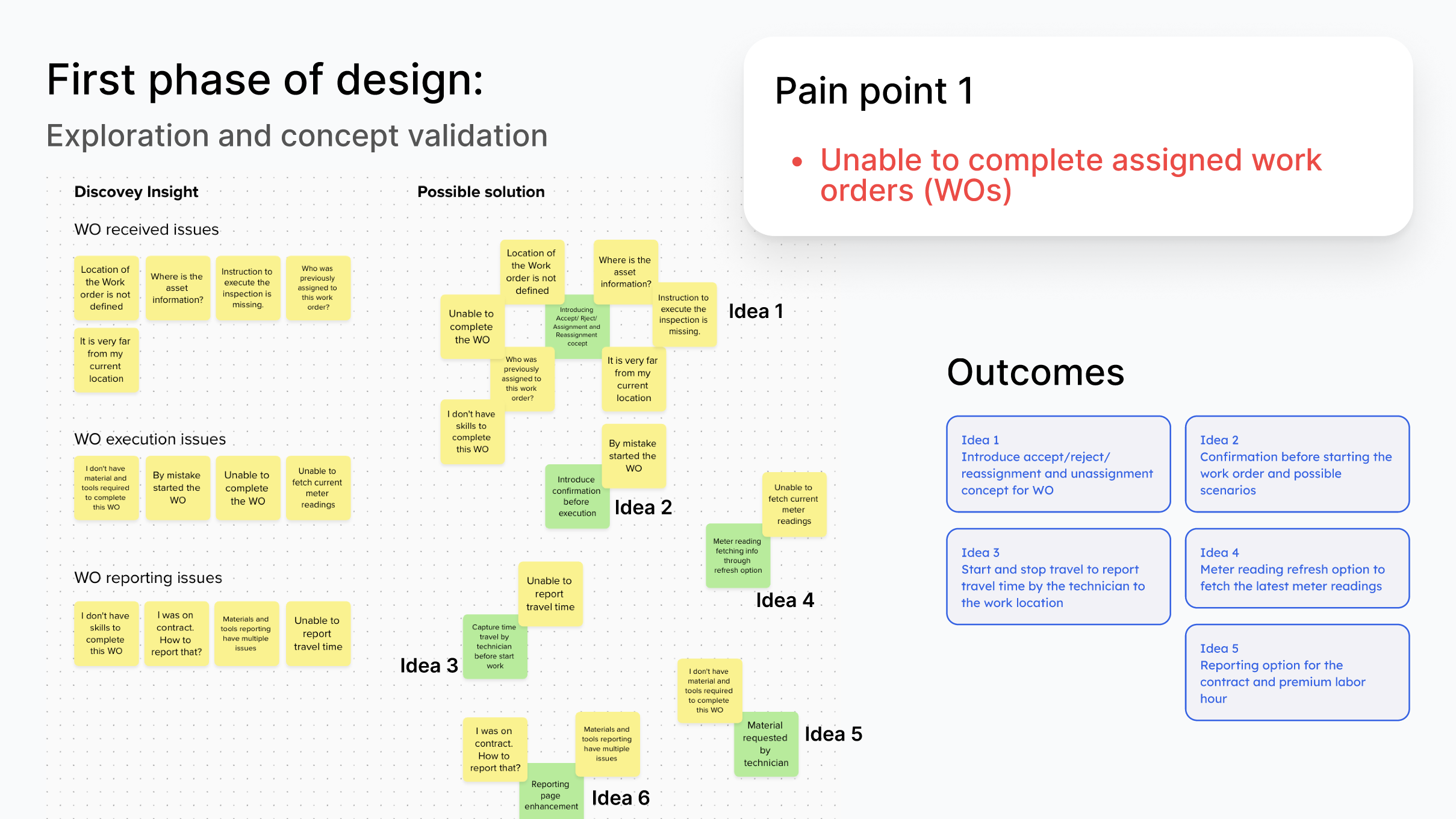
1. Technicians Couldn’t Complete Assigned Work Orders

Work orders were started — but frequently abandoned due to execution and reporting friction.

2. Reporting Was Burdensome

The reporting page felt complex and error-prone.
Technicians avoided completing it.

3. Meter Readings Were Inaccurate

  • No entry in offline mode
  • No way to specify reading types

This compromised data integrity.

4. Tasks Lacked Clarity

  • Limited task structure
  • Unclear execution flow

Technicians left the app to gather information — increasing abandonment.

5. No Crew Support

Many customers operated in crews.
The system only supported individual assignments.

6. No Visibility Into Technician Availability

Dispatchers couldn’t see who was available.
Work orders were sent to unavailable technicians.

7. No Support for Linear Assets

Industries managing pipelines, railways, and utilities lacked proper support.

This limited enterprise adoption in high-value sectors.

Prioritization: Turning Insights into Strategy

We categorized initiatives into:

  • Big Bets (high business impact)
  • Quick Wins (low effort, immediate value)
  • Optimization Items (system improvements)

We evaluated each epic by:

  • Impact
  • Reach
  • Feasibility
  • Engineering effort

This structured prioritization ensured alignment with IBM’s growth strategy.

Design Execution: From Insight to Impact

We followed a four-phase design framework:

  1. Exploration & Concept Validation
  2. User Flows & Wireframes
  3. Technical Feasibility Alignment
  4. IBM Design System (Graphite) Alignment

Deep Dive: Fixing Work Order Completion

This was our highest-impact problem.

Before Redesign

Dispatcher → Start Work → Report

Simple — but fragile and ambiguous.

After Redesign

Dispatcher → Start Travel → Reach Location →
Accept / Reject / Reassign → Log Travel Time → Report Completion

We introduced:

  • Accept / reject logic
  • Reassignment flows
  • Travel time tracking
  • Contract & premium hour reporting
  • Meter refresh functionality

Ambiguity was removed.
Errors were prevented before they occurred.

Solving Technical Constraints

One major constraint:
Reassigning work orders mid-execution complicated backend reporting.

Instead of pushing an idealized solution, we:

  • Phased implementation
  • Started with manual logging
  • Reduced backend complexity

This allowed us to ship faster without sacrificing core usability.

IBM Design System Alignment

We aligned fully with IBM’s Graphite design system.

Example:

  • A three-column accordion layout broke responsiveness on mobile.
  • We redesigned it into a two-column responsive layout.

Outcomes:

  • Fully responsive reporting pages
  • Improved component behavior
  • Clearer iconography

Expanding Enterprise Capability

Beyond completion flows, we introduced:

Crew Management

  • Enabled crew-based assignments
  • Increased enterprise scalability

Technician Availability (Timesheets)

  • Reduced scheduling conflicts
  • Improved dispatcher efficiency

Reporting Enhancements

  • Material visibility
  • Adjustable quantities
  • Reduced abandonment

Meter Reading Improvements

  • Validated logic
  • Improved offline behavior
  • Increased predictive maintenance accuracy

Linear Asset Work Orders

  • Enabled support for pipelines, railways, utilities
  • Opened new industry segments

Agile Collaboration Model

We operated within Agile:

  • Sprint planning
  • Dev syncs
  • Cross-functional critiques
  • 1:1 feedback loops
  • Continuous design system validation

This reduced rework and accelerated stakeholder buy-in.

Handoff & Build Support

Before development:

  • High-fidelity designs
  • Annotated flows
  • State transitions
  • Edge cases
  • Responsive specifications

During development:

  • Developer walkthroughs
  • Ongoing clarification
  • Staging reviews
  • Pre-release QA validation

This dramatically reduced post-release defects.

Usability Testing (Post-Implementation)

Due to tight timelines, usability testing occurred post-build.

Goal:

Technicians complete assigned tasks within 1 minute.

We conducted 5 testing rounds with enterprise customers including:

  • City of Fort Collins
  • Paramount Resources
  • Southern Company

Key improvements from testing:

  • Bulk acceptance of work orders
  • Availability visibility before reassignment
  • Work duration tracking
  • Assignee history visibility

Each refinement further optimized execution speed.

The Measurable Business Impact

After one year:

  • Work order completion increased from 50% → 90%+
  • 20 major features introduced
  • 112 new customers adopted the solution
  • Customer growth increased by 4.8% (4,288 → 4,400)

While not solely responsible for the 10% growth target, this initiative created undeniable momentum and directly demonstrated:

UX drives business growth.

Challenges & Key Learnings

IBM Maximo has a steep learning curve.
Documentation alone wasn’t enough — I had to deeply understand workflows and architecture.

Key learnings:

  • Early concept validation reduces downstream friction
  • Aligning UX with engineering constraints accelerates shipping
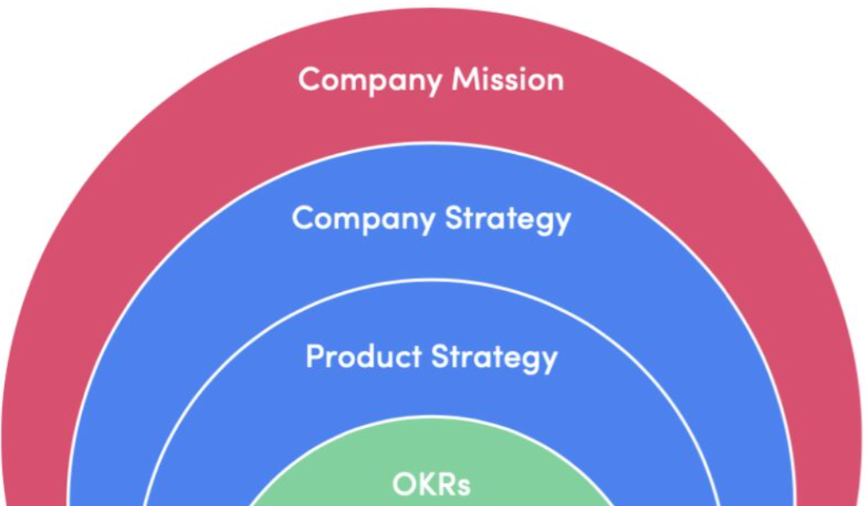
  • Strategic framing earns executive trust
  • Enterprise UX must balance usability with scalability

What This Project Strengthened

This experience strengthened my ability to:

  1. Connect user pain points to business strategy
  2. Align UX solutions with technical feasibility
  3. Deliver measurable impact through structured design thinking

If I were to extend this work further, I would:

  • Introduce competitive benchmarking earlier
  • Leverage AI tools to accelerate research synthesis

Final Reflection

Great UX is not just about clean interfaces.

It’s about:

  • Strategic alignment
  • Cross-functional execution
  • Measurable business impact

This project reinforced a core belief:

When execution improves, growth follows.